

DVDFab Virtual Drive 1.4
DVDFab Virtual Drive is a virtual DVD/Blu-ray emulator
 Download
Program info
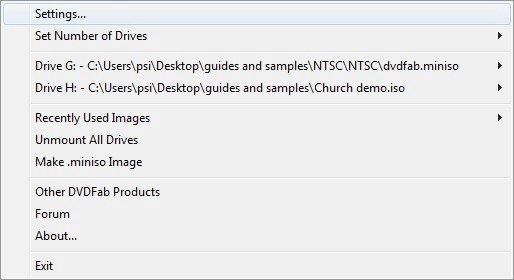


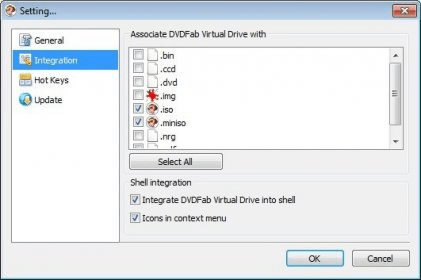


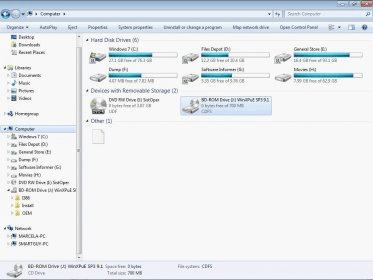

DVDFab Virtual Drive is a virtual emulator for both DVD and Blu-ray. It can emulate up to 18 drives and mount DVD/Blu-ray ISO image files created by DVDFab and other programs, and .miniso file created by DVDFab Blu-ray Copy. For example, if you want to play a Blu-ray ISO image file backup on your computer, you need to mount it with DVDFab Virtual Drive, then, play it with PowerDVD.
Main Features:
- DVD Virtual Drive is a virtual emulator which can emulate a maximum of 18 drives.
- It can mount both DVD image files and Blu-ray image files saved on your computer.
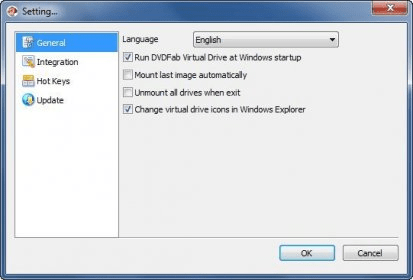
- You can select one language for this application from nearly 20 available languages.
- You can choose whether or not to run Virtual Drive automatically when windows start up.
- You can also let it mount the last image automatically, and unmount all drives when existing.
Details
Extensions

No information available
The data will be available later.Awards


Related software

Enables lossless backup of any DVD, Blu-ray and UHD.

Watch and make backup copies of your DVDs and Blu-rays without restrictions.

Virtual CD creates a virtual DVD-ROM drive locally to extend your infrastructure
Related stories
See all
The best virtual drive emulators that you don't have to spend any money for.

If you're getting nostalgic about the games that you played on consoles when you were a kid, here are some emulators that will help you play them on your PC right now.
Updated to Windows 10 and can't use your optical drive? There are several solutions to this issue. Check them out in this article.



After install Windows 10, DVDFab Virtual Drive Doesn't show any letter to mount the iso file.
Can you help me? More